Your business comes together here.

Keeping people, information and tools connected takes too much of your day. Marling unites what your business knows with the tools it runs on, giving you one place to direct daily work. As it takes on more of the routine, you have less to manage.

Request a call

Tell us what you’d hand off first.

Your experience can do more than fit into one person’s day.

You’ve spent years building how your business runs, and your team shouldn’t need you in the middle of every step to use that know-how. Marling brings your mail, calendar, and follow-ups together with the files you share and the preferences you approve to guide the work. It answers questions from your files, sorts incoming email, prepares replies for your review, and adds the follow-ups you choose to your existing task list. You decide what needs attention and what happens next.

  • Morning lined up before 8
  • Price sheet pulled up mid-call
  • Gmail
  • Spoken notes turned into text
  • Customer reply drafted in your voice
  • Google Tasks
  • Time-off policy referenced
  • Inbox thread summarized
  • Meeting written up as notes
  • Outlook
  • Onboarding checklist ready for Monday
  • Follow-up kept on track
  • Quote drafted from a voice note
  • Google Calendar
  • Last quarter’s vendor terms found
  • Thank-you note drafted
  • Microsoft To Do
  • Tomorrow’s appointments pulled in
  • Contract summarized
  • Week of meetings lined up
  • Google Contacts
  • Warranty terms looked up
  • Follow-up added from an email
  • Last year’s proposal found

See every connection

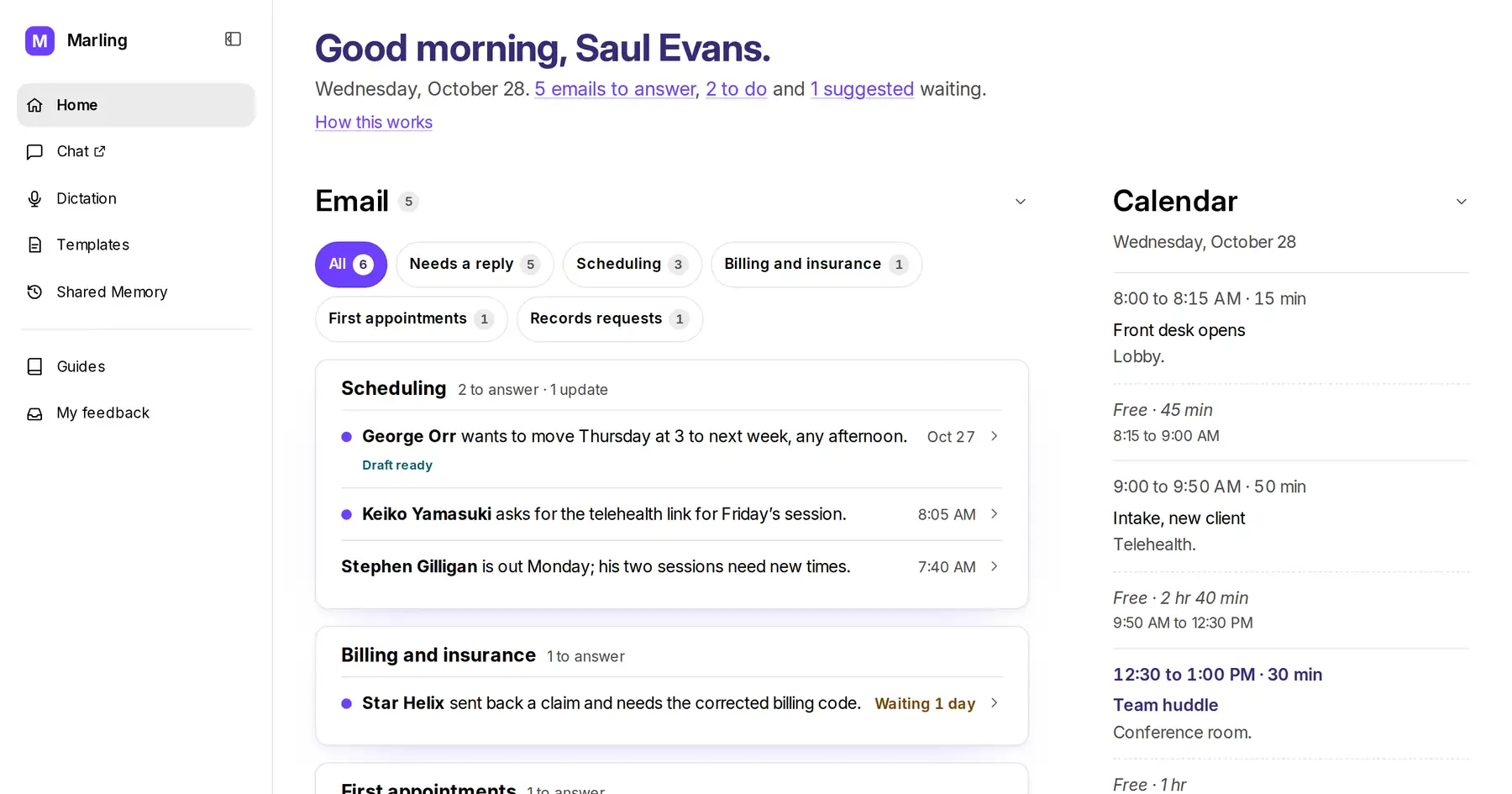
Proactively organizes your day

Start your day already sorted.

Marling pulls your calendar, organizes your emails, prepares replies the way you write, and suggests follow-up tasks so you’re always one step ahead.

  • Summarizes what’s important
  • Draft replies in your voice or use a template
  • Spots loose ends so nothing slips

Uses your files, learns how you work

Answer with confidence.

Marling pulls answers from your files and remembers your preferences as you chat, so you never have to repeat yourself.

  • Choose what’s remembered
  • Sources are always cited
  • Adapts to how you write

Drafts routine work your way

Never start from scratch.

Marling includes ready-made starting points for the messages and letters your business writes most, or lets you save your own for the whole team to use.

  • Tailored to the work you do
  • Ready-to-fill placeholders

Writes down what you say

Speak when you’d rather not type.

Say what’s on your mind and Marling writes it down, ready for you to edit, copy, or chat about in more detail.

  • Use as-is, or refine it in chat
  • Audio discarded after transcription

A business that keeps getting more capable.

Your team’s experience builds up in Marling. The preferences you approve become guidance everyone can use. The files you add become something you can ask about. A new colleague gets a place to start, and what you’ve taught Marling stays useful as people and responsibilities change.

The product grows through the work customers bring us, too. A request for help with Gmail led us to build reading and reviewed sending, then account and domain management for Google Workspace and Cloudflare, now rolling out in early access. A capability built for one business becomes part of what we can bring to the next.

More help, with you in control.

You choose what becomes shared guidance, review outgoing email, and control who can use Marling.

  • You choose what stays.

    Shared Memory proposes lasting preferences for your business. A person approves them, and you can change or forget them later.

  • Access fits your setup.

    Hosted Marling has a sign-in gate for your team. The office device opens on your own network or VPN.

  • Extra protection for identifying details.

    On the office device’s Mental Health and Legal plans, De-identification replaces the details it recognizes before AI requests reach the internet. Detection can miss details; Hosted and the general small-business plan do not apply this step.